WordPress Hosting is where you launch, move and manage your WordPress sites. Each site runs on Stack Harbor’s Application Hosting, so you get managed servers without looking after them yourself.
Open WordPress Hosting
- In the side menu, select WordPress Hosting.
- The page shows three groups of cards. Select a card to open that part of WordPress Hosting.
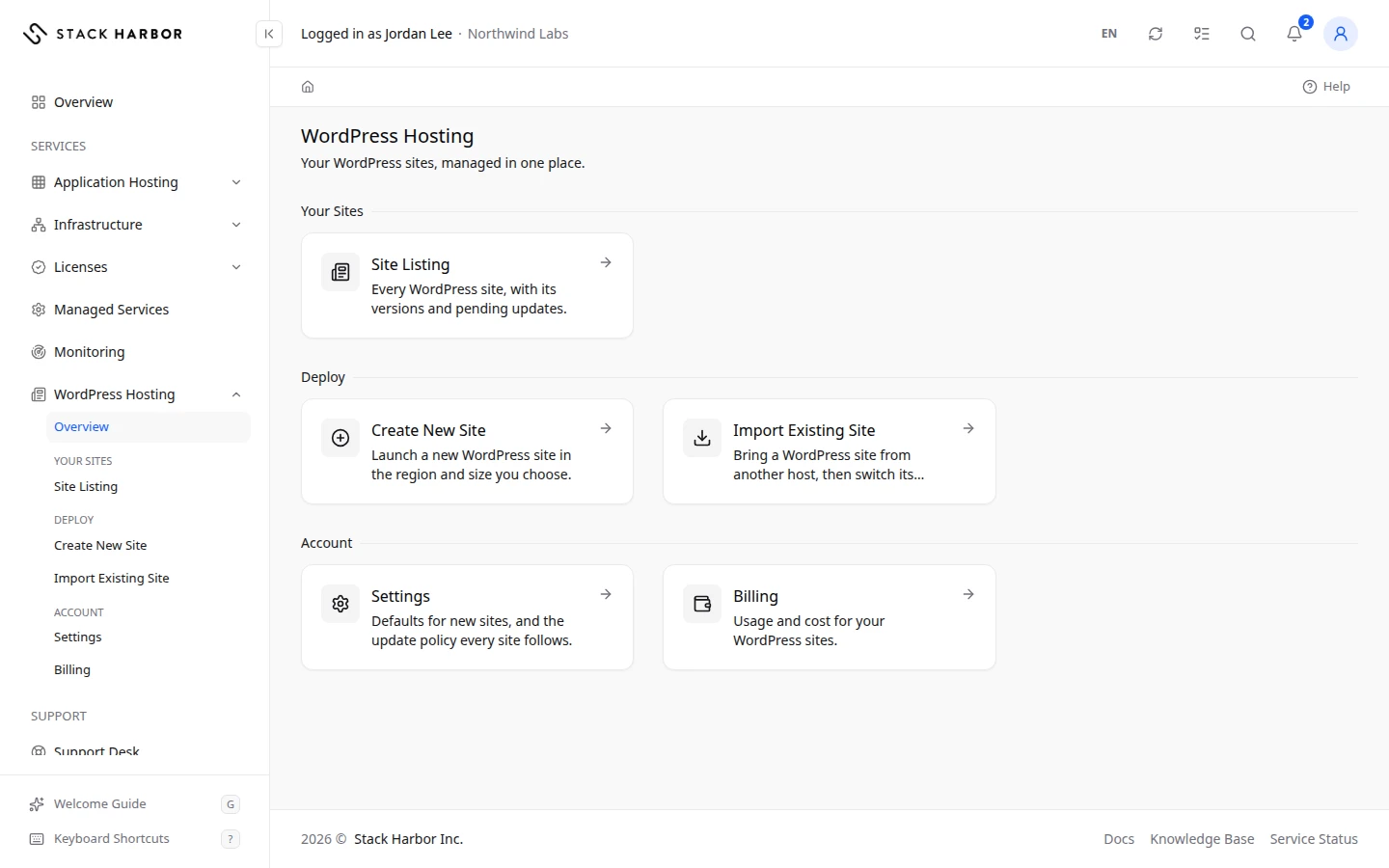
What each card opens
- Projects
- Site Listing lists every WordPress site on your account, with its versions and pending updates. See View your WordPress sites.
- Deploy
- Create New Site launches a new WordPress site in the region and size you choose. See Launch a WordPress site.
- Import Existing Site brings a WordPress site from another host, then helps you switch its domain. See Move a WordPress site to Stack Harbor.
- Account
- Settings holds the defaults for new sites and the update policy every site follows. See Set WordPress Hosting settings.
- Billing shows the usage and cost of your WordPress sites. See Read your WordPress Hosting usage. You see this card only if you have access to billing.
The side menu has the same entries under WordPress Hosting, so you can jump to any of them from anywhere in Lighthouse.
If you see a panel in place of the cards
WordPress Hosting has to be turned on for your account before its pages open. Until then, the page shows the Enable WordPress Hosting panel. Follow Enable a service to turn it on.
WordPress Hosting runs on Application Hosting, so enabling WordPress Hosting also enables Application Hosting.
You can also open Create New Site from the side menu, under WordPress Hosting. The deploy form opens even before the service is on, and its last step shows the Enable WordPress Hosting panel where the deploy button would be.
Fields and statuses
What each item on this page means, what it does and how to read it.
- Site Listing Option
-
What it is. The card that opens the list of every WordPress site on your account.
What it does. Opens Site Listing.
- Create New Site Option
-
What it is. The card that starts the form for a brand-new WordPress site.
What it does. Opens the three-step deploy form.
- Import Existing Site Option
-
What it is. The card that starts copying a WordPress site from another host.
What it does. Opens the five-step import form.
- Settings Option
-
What it is. The card that opens the defaults for new sites and the update policy.
What it does. Opens WordPress Hosting Settings.
- Billing Option
-
What it is. The card that opens the usage cost of your WordPress sites. Shown only to people with access to billing.
What it does. Opens WordPress Hosting Usage.