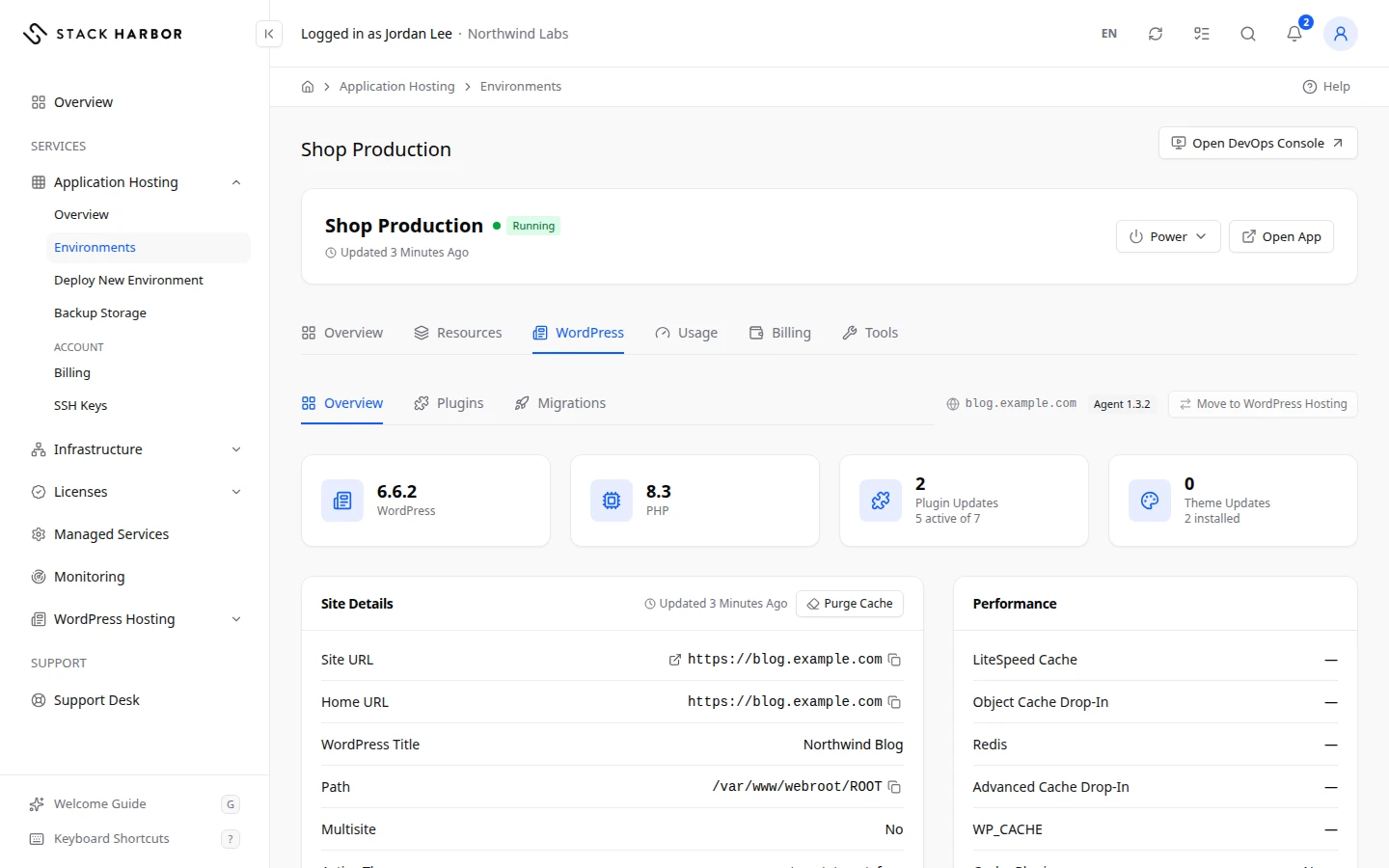
If you run WordPress in an Application Hosting environment, the environment’s WordPress tab lets you manage it from Lighthouse. The tab appears when the environment has a PHP layer.
Install the agent
Lighthouse talks to WordPress through a small Stack Harbor agent in the environment. You install it once.
- Open the environment, then select WordPress.
- On Set Up the WordPress Agent, select Install Agent.
- Wait about a minute. The page updates by itself when it’s done, and you see Agent installed.
The install doesn’t interrupt the site. When a newer agent is out, you see a notice with Upgrade Agent.
The environment must be running. This Site Is Stopped or This Site Is Sleeping means you must start or wake it first. See Manage an environment.
Work on WordPress
Once the agent is in, the tab has three sections.
- Overview shows the WordPress title and version, with buttons such as Purge Cache and Update WordPress.
- Plugins lists your plugins. You can Activate, Deactivate or Update them.
- Migrations lists copies of your site from another host. Select New Migration to start one.
These work the same way as on a WordPress Hosting site. See Manage a WordPress site for each step.
Move the site to WordPress Hosting
WordPress Hosting gives a WordPress site its own pages in Lighthouse. You can hand an existing environment over to it.
- On the WordPress tab, select Move to WordPress Hosting.
- Read the dialog, then confirm.
The site is then listed and managed under WordPress Hosting instead of Application Hosting. The site itself doesn’t change and keeps running. You can move it back at any time.
If something goes wrong
- Moving a site needs the Add and Remove Sites permission. The account owner can grant it.
- You do not have permission to manage WordPress here. The account owner can grant it.
- The install is taking longer than expected. We keep checking, and the page updates when it finishes.
- Agent Upgrade Required means the agent is too old for Lighthouse. Select Upgrade Agent.
Fields and statuses
What each item on this page means, what it does and how to read it.
- Set Up the WordPress Agent Status
-
What it is. The Stack Harbor agent is not installed in this environment yet.
What it does. Lighthouse needs it to manage WordPress.
How to read it. Select Install Agent. It takes about a minute and does not interrupt the site.
- Agent Upgrade Required Status
-
What it is. The agent in the environment is too old to work with Lighthouse.
How to read it. Select Upgrade Agent. It takes about a minute and does not interrupt the site.
- Move to WordPress Hosting Option
-
What it is. Hands the environment over to WordPress Hosting.
What it does. The site is then listed and managed under WordPress Hosting. The site itself does not change, and you can move it back at any time.