If you write to us without signing in, for example by email before you have an account, we open a guest ticket. Every email we send about it carries a private link. The link opens the ticket in your browser, with no sign-in.
Open the ticket
- Open the latest email we sent about the ticket.
- Select the link in the email. The ticket page opens, titled with the ticket number, for example Ticket #4821.
The page shows the ticket’s Status, Department, when it was Opened and its Last Reply. Our team’s messages carry a Support badge and yours carry You. Files are listed under Attachments. Select Download to save one.
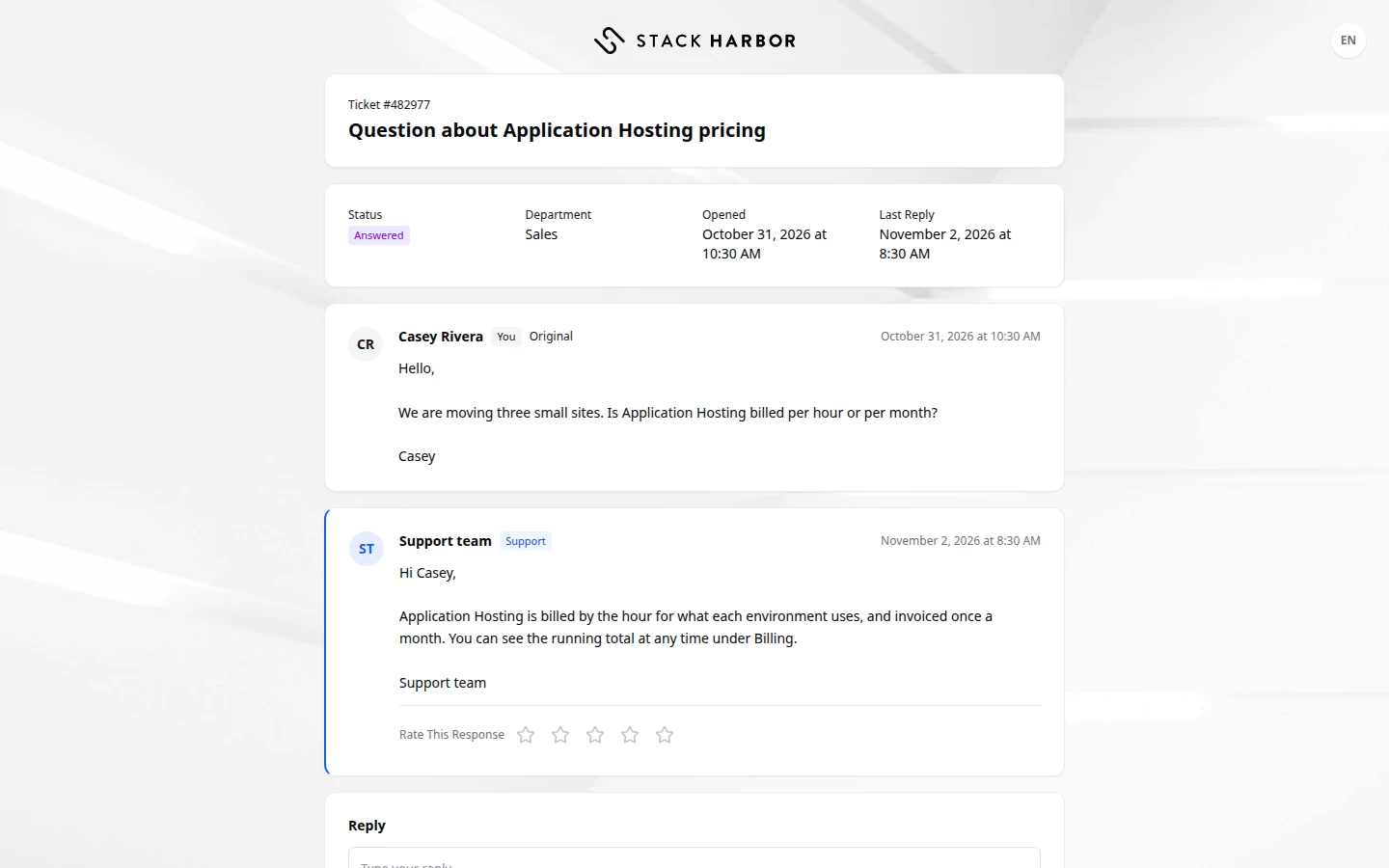
Reply
- In the Reply box, type your message.
- Optional: add files with Choose Files.
- Select Send Reply. You see Reply sent.
You can also rate our replies with Rate This Response, and rate a closed ticket with Rate Ticket. To close, reopen or escalate a ticket, you need to be signed in to an account.
If something goes wrong
- Open Your Link Again means the page no longer has your link, often after a reload. For your privacy, the page keeps no copy of it. Open the link again from the email.
- This Link Is Not Valid means the link is incomplete, or the ticket belongs to an account. Check that you opened the full link. If the ticket is on your account, select Sign In and open it from the Support Desk.
- Too Many Attempts means the link was opened too many times from your network. Wait a while, then open it again.
- This ticket is closed. To continue, open a new ticket. means the ticket can’t take more replies.
- Ticket Not Loaded means the page could not reach the ticket. Select Try Again.
Fields and statuses
What each item on this page means, what it does and how to read it.
- Open Your Link Again Status
-
What it is. The page no longer holds your private link, often after a reload.
What it does. Open the link again from our latest email.
- This Link Is Not Valid Status
-
What it is. The link is incomplete, or the ticket belongs to an account.
What it does. Open the full link, or sign in to see the ticket.
- Too Many Attempts Status
-
What it is. The link was opened too many times from your network.
What it does. Wait a while, then open it again.
- Ticket Not Loaded Status
-
What it is. The page could not reach the ticket.
What it does. Select Try Again.